Engawa Bunko
A downloadable app for macOS
A quiet place to write
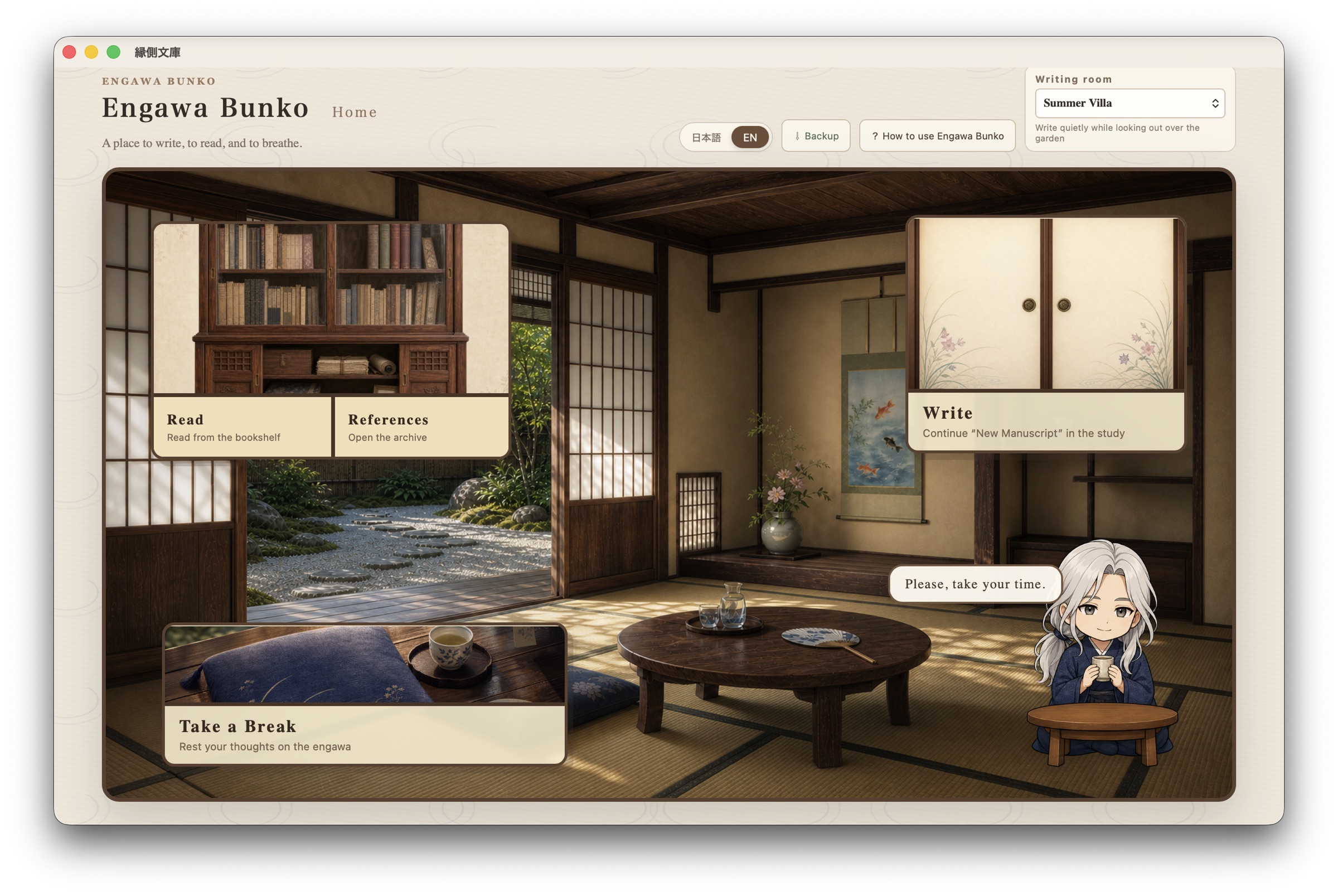
Engawa Bunko is a cozy, atmospheric writing editor for macOS.
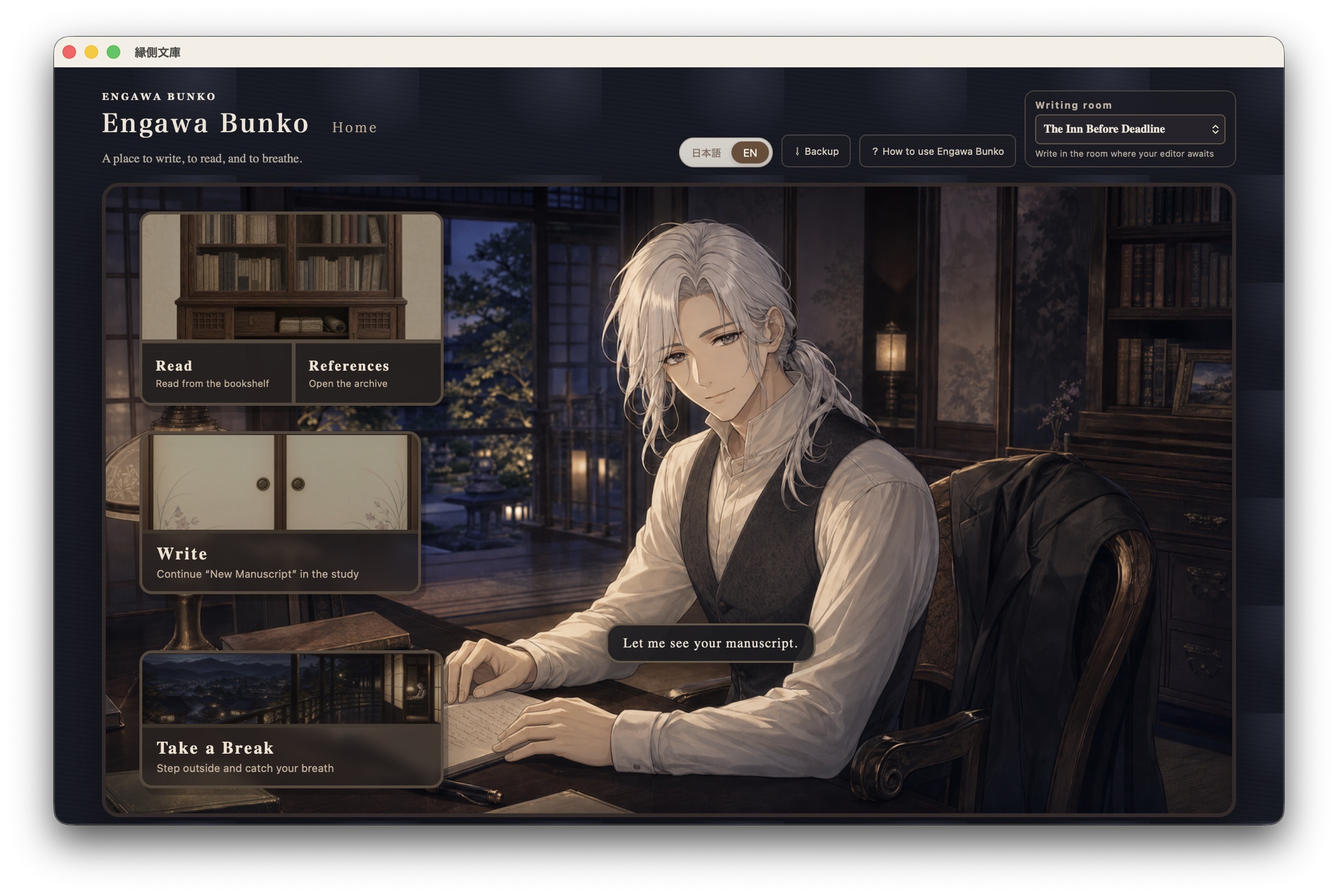
Choose a writing room, organize your manuscripts, keep alternate drafts, collect reference images and ideas—and take a short break on the engawa when you need one.
A small guide named Shiro lives here, quietly keeping you company with a cup of tea.
Features
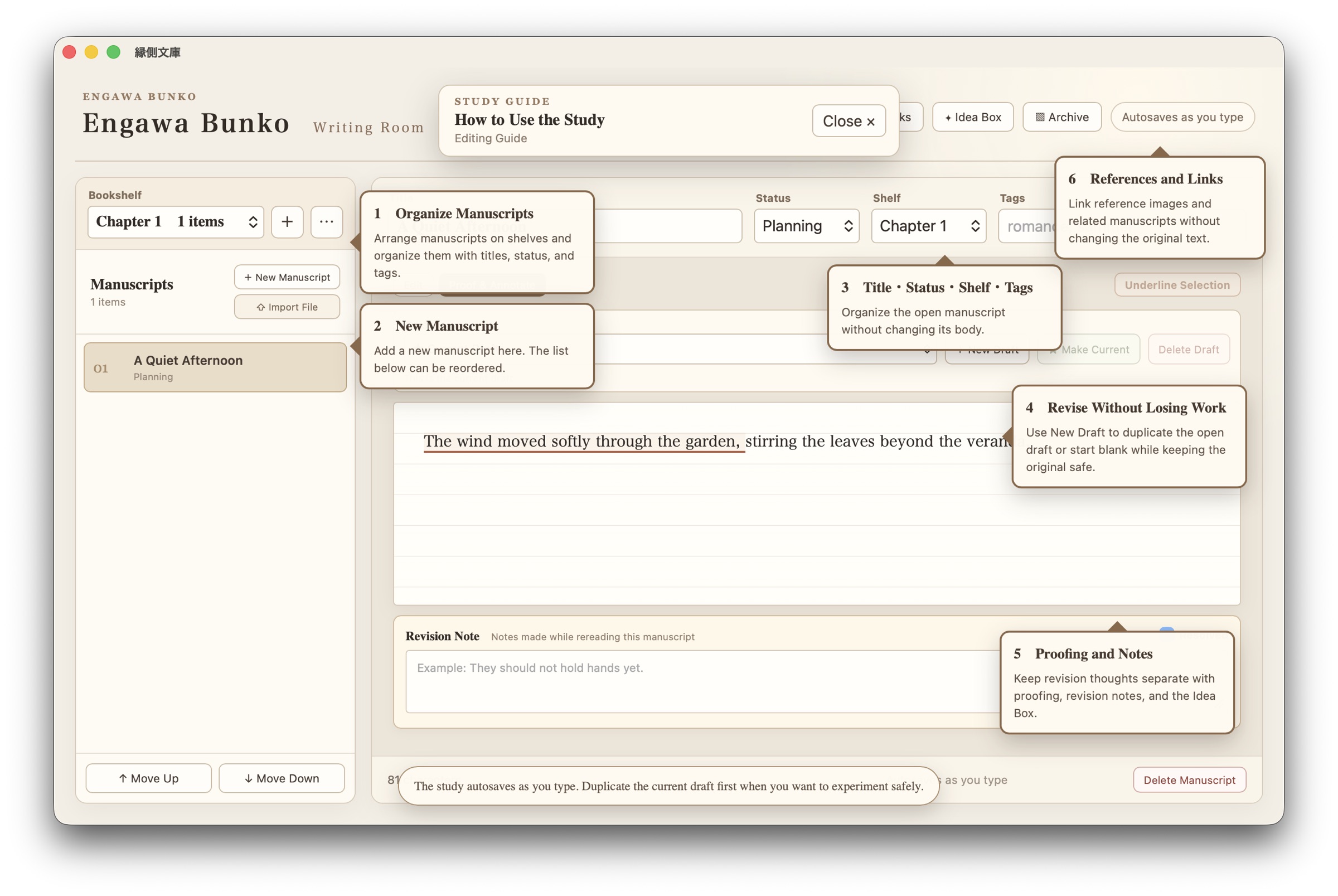
- Organize manuscripts into freely named bookshelves
- Create, duplicate and switch between multiple drafts
- Add revision notes, statuses and tags
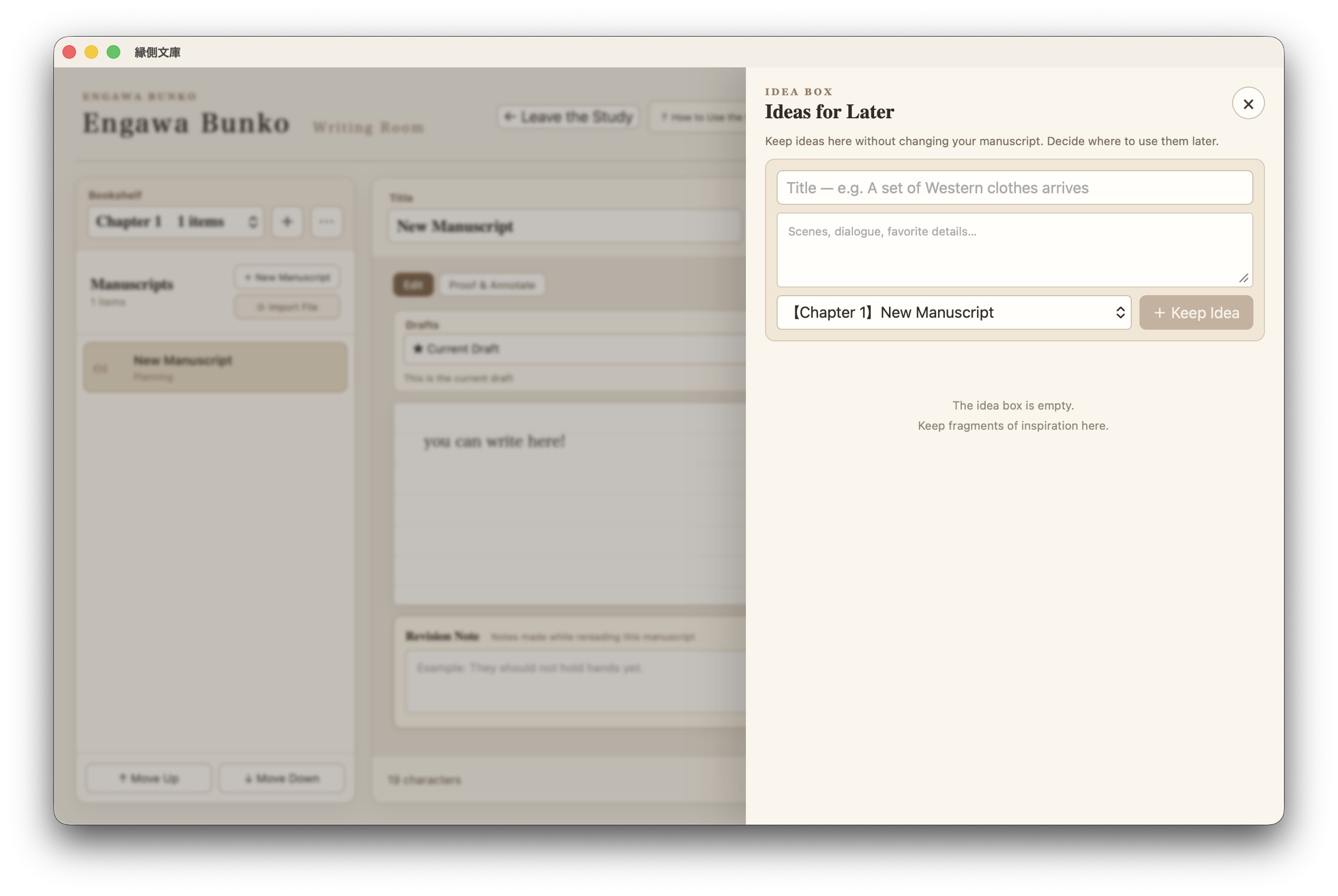
- Keep ideas separate from the main text in the Idea Box
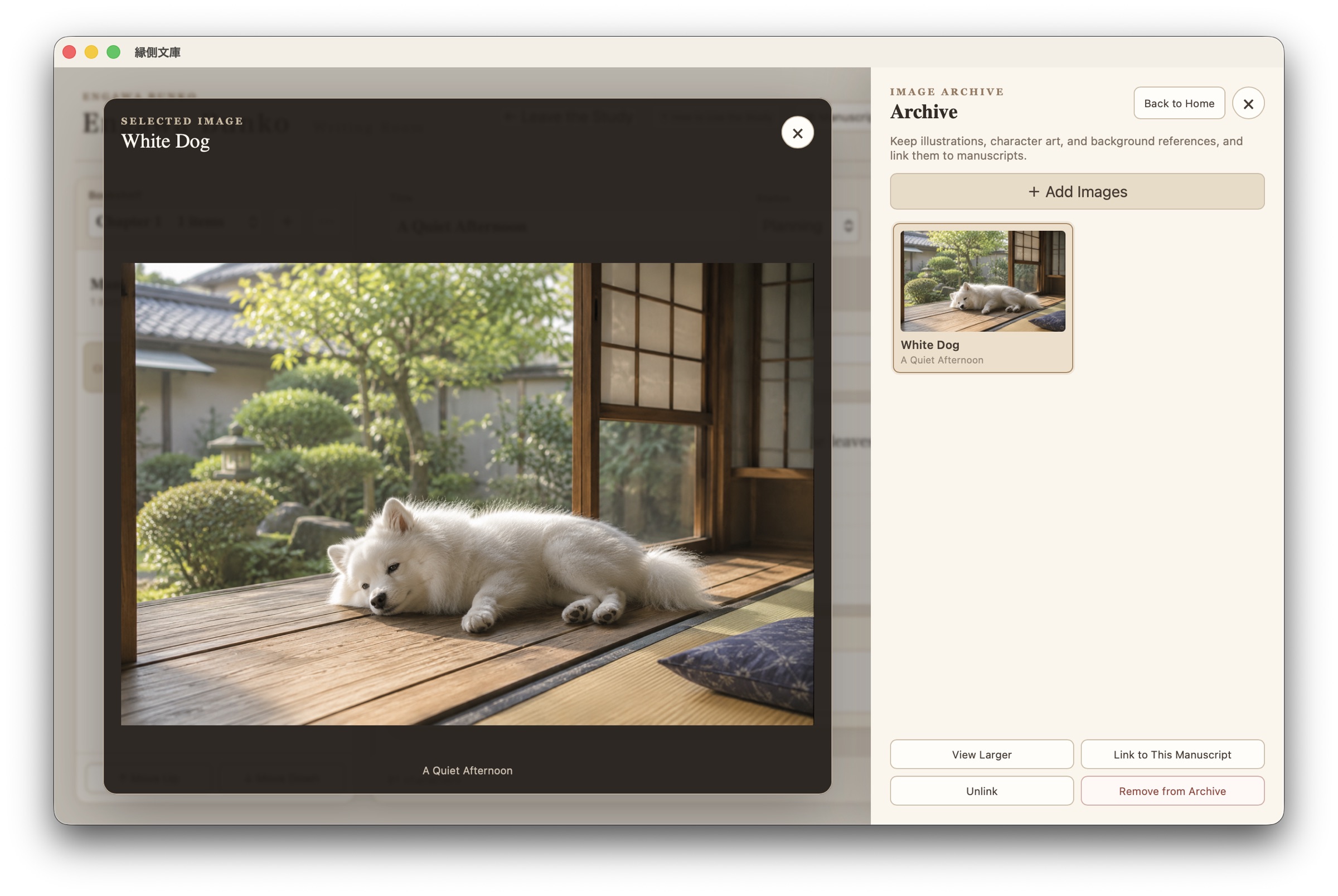
- Store and link reference images in the Archive
- Link related manuscripts
- Automatic local saving
- Manual backup to a location of your choice
- Switch between Japanese and English
- Choose from atmospheric writing-room themes
- Universal macOS build for Apple Silicon and Intel Macs
About this prototype
This is an early prototype created to test the experience of writing inside a calm, playful space.
I would especially appreciate feedback about:
- Anything that was confusing at first
- Features that felt comfortable or inconvenient
- Problems with installation, saving or backup
- Whether the atmosphere helped you feel like writing
Your manuscripts and app data are stored locally on your Mac. They are not uploaded to an online service by this app. Please use the Backup button to keep a separate copy of important work.
Important installation note
This prototype is not currently signed or notarized by Apple.
Depending on your macOS security settings, you may need to Control-click the app and choose Open. If macOS still blocks it, open System Settings → Privacy & Security and allow the app to open.
Please download and test it only if you are comfortable using an unsigned prototype.
静かに書くための場所
縁側文庫は、好きな執筆室で文章を書き、読み返し、資料やアイデアを育てていくmacOS用の文章エディタです。
文章を棚ごとに整理したり、元の文章を残したまま別の稿を作ったり、資料画像や思いつきを本文と分けて保管できます。疲れたときは、縁側で少しひと息つくこともできます。
お茶を飲む小さな案内役「シロ」が、静かに同居しています。
主な機能
- 自由に名前を付けられる棚と文章管理
- 複数の稿の作成・複写・切り替え
- 推敲メモ、状態、タグ
- 本文を変えずにアイデアを預けるネタ帳
- 資料画像の保管と文章への関連付け
- 関連する文章同士のリンク
- 入力内容の自動保存
- 保存先を選べる手動バックアップ
- 日本語・英語表示の切り替え
- 雰囲気の異なる執筆室
- Apple Silicon・Intel Mac対応のUniversal版
プロトタイプについて
これは「落ち着く空間の中で書く」という体験を試すための初期プロトタイプです。
特に、次のような感想をいただけると嬉しいです。
- 初めて使ったときに迷った場所
- 便利だった機能、使いづらかった機能
- インストール・保存・バックアップ時の問題
- この空間で少しでも書きたくなったか
文章やアプリのデータは、お使いのMac内に保存されます。このアプリがオンラインサービスへ本文を送信することはありません。大切な文章は「バックアップ」から別の場所にも保存してください。
インストール時の注意
現在のプロトタイプは、Appleによる署名・公証を行っていません。
macOSの設定によっては、アプリをControlキーを押しながらクリックし、「開く」を選ぶ必要があります。それでも止められる場合は、「システム設定 → プライバシーとセキュリティ」**から起動を許可してください。
未署名の試作アプリであることをご理解のうえ、お試しください。
Download
Install instructions
Installation — macOS
- Download and open the DMG file.
- Drag Engawa Bunko into the Applications folder.
- Open the Applications folder.
- Control-click Engawa Bunko and choose Open.
- When the confirmation dialog appears, choose Open again.
This prototype is not currently signed or notarized by Apple. If macOS still blocks it, open System Settings → Privacy & Security, find the message about Engawa Bunko, and choose Open Anyway.
No additional software or libraries are required.
Your manuscripts and app data are stored locally on your Mac. Please use the in-app Backup button to keep a separate copy of important work.
インストール方法 — macOS
- DMGファイルをダウンロードして開きます。
- 縁側文庫を、隣に表示されるApplicationsフォルダへドラッグします。
- Applicationsフォルダを開きます。
- 縁側文庫をControlキーを押しながらクリックし、「開く」を選びます。
- 確認画面でもう一度「開く」を選びます。
現在の試作版は、Appleによる署名・公証を行っていません。起動を止められた場合は、「システム設定 → プライバシーとセキュリティ」を開き、縁側文庫について表示された「このまま開く」を選択してください。
追加のソフトウェアやライブラリは必要ありません。
文章やアプリのデータは、お使いのMac内に保存されます。大切な文章は、アプリ内の「バックアップ」から別の場所にも保存してください。
Leave a comment
Log in with itch.io to leave a comment.